Difficulty
Moderate
Steps
3
Time Required
- How to Wiki 3 steps

In Progress
This guide is currently being written. Reload periodically to see the latest changes.

User-Contributed Guide
This guide is not managed by the site's staff.

Private
This guide will not appear in search results and can only be viewed by team members!
Quiz
0
-
-
Learning to how to use a wiki can seem difficult, but with a short guide you can create a work log.
-
Open your browser and go to http://opensourceecology.org/wiki
-
-
-
In the top right hand corner click Login with OpenID
-
Click Login.
-
Once the Verification succeeds. Click Main Page link.
-
-
-
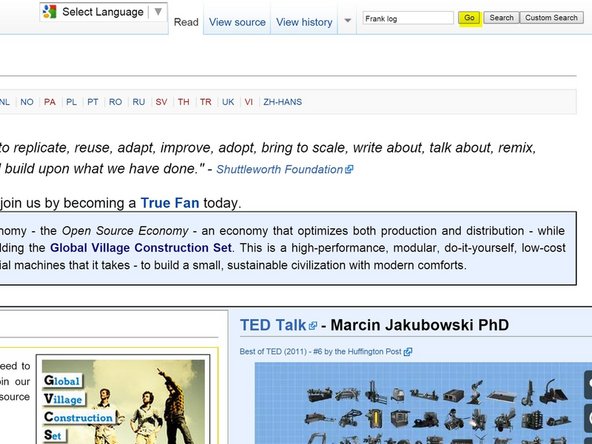
Go to search bar.
-
Type in your first name and then the word log. For example, Frank log, and press go.
-